Tracking Your Mileage During a Car Lease
Understanding Mileage Limits and Their Impact on Your Car Lease
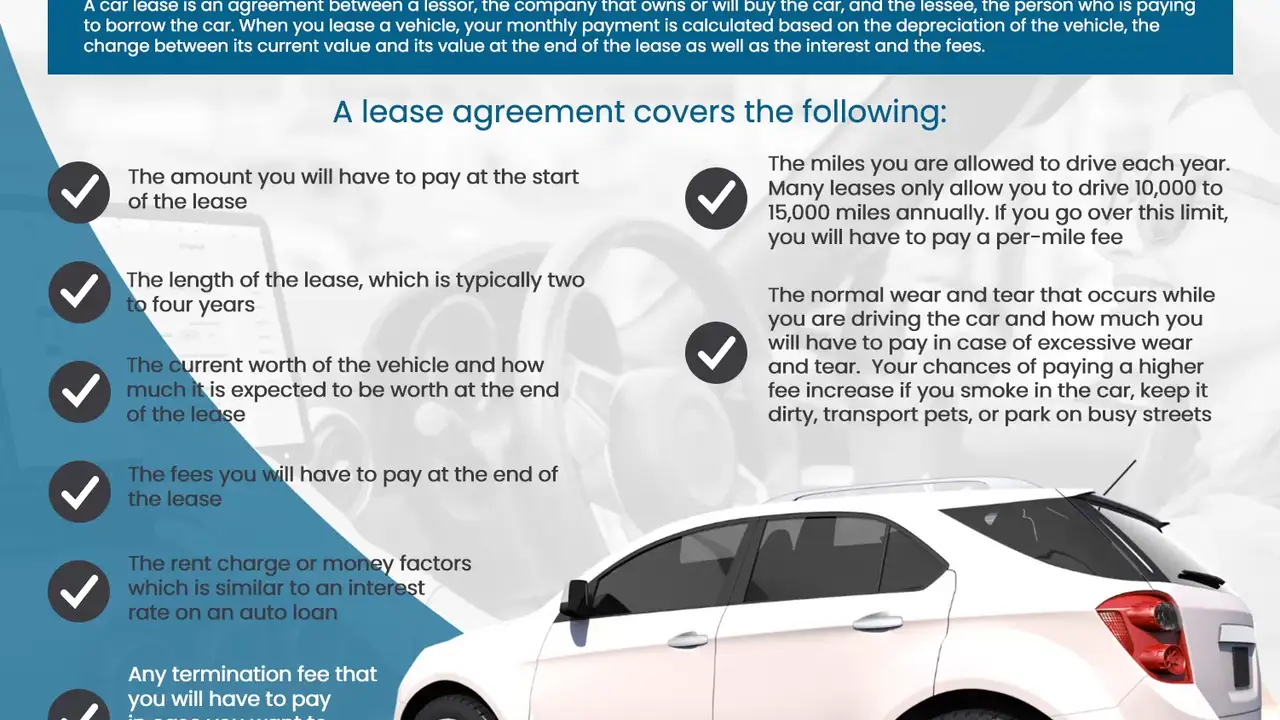
So, you've got a shiny new lease car, congrats! Freedom on four wheels, right? Well, almost. One of the most crucial things to wrap your head around is the mileage limit. Lease agreements aren't exactly a free-for-all when it comes to how many miles you can clock. They come with restrictions, usually expressed as an annual allowance (like 10,000 miles per year, or 12,000, or maybe even 15,000). Exceed that, and you'll be facing some serious per-mile overage charges when you return the car. These charges can really add up, turning what seemed like a sweet deal into a financial headache. Think of it like this: the leasing company is estimating how much the car will depreciate (lose value) during your lease. Higher mileage means more wear and tear, and therefore, lower resale value. That's why they penalize you for going over.
Why is this so important? Because ignoring your mileage is like ignoring the speed limit – you might get away with it for a while, but eventually, you'll get caught (and pay the price!). Understanding your mileage limit is the first step to smart lease management. It lets you plan your driving habits, anticipate potential problems, and make adjustments before those overage charges start looming.
Effective Mileage Tracking Methods for Lease Vehicles
Alright, so you know you need to track your mileage. But how? Luckily, there are a ton of ways to keep tabs on those miles, from the super-simple to the high-tech. Let's break down some of the most effective methods:
The Classic Notebook Method: Low-Tech Mileage Tracking
This is the OG of mileage tracking. Grab a notebook (or even a dedicated section in your planner), and every time you drive, jot down the date, the starting odometer reading, the ending odometer reading, and the purpose of the trip. Subtract the starting reading from the ending reading, and you've got your mileage for that trip. Total it up at the end of each week or month to see where you stand. Pros: Super cheap, requires no special equipment, good for technophobes. Cons: Manual entry is prone to errors, time-consuming, easy to forget.
Spreadsheet Savvy: Using Excel or Google Sheets for Mileage Tracking
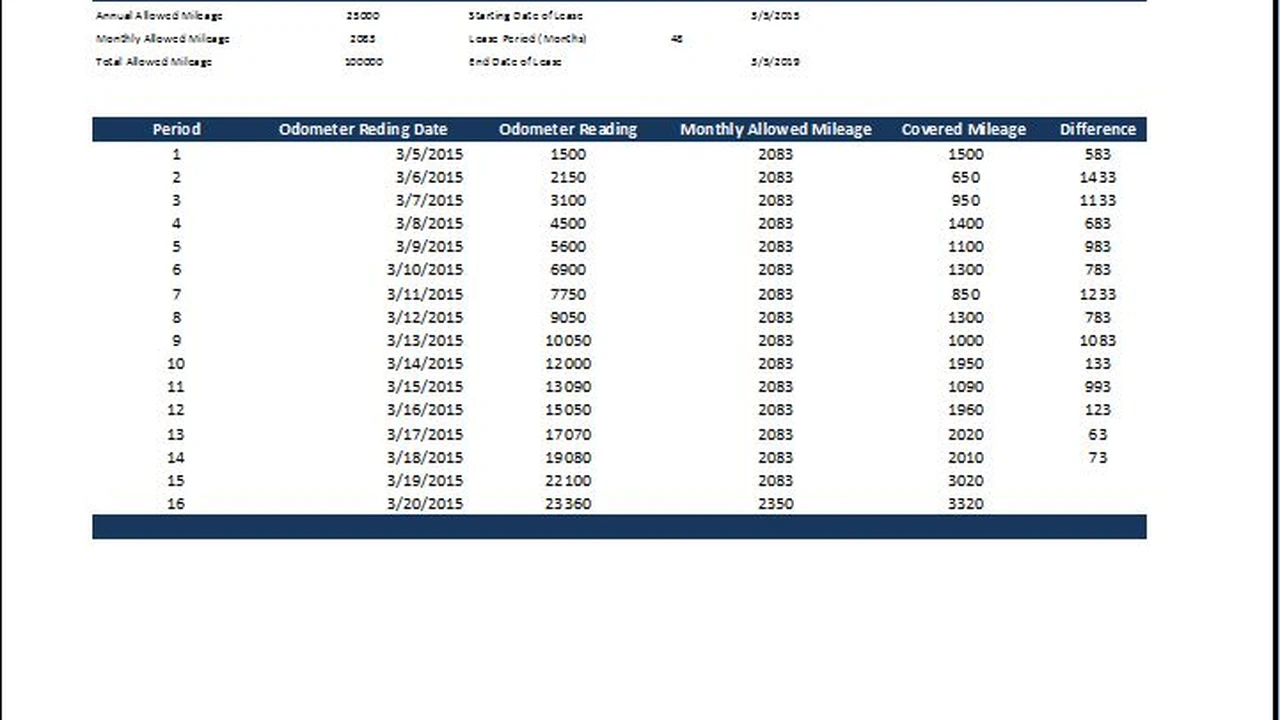
If you're a bit more tech-inclined, a spreadsheet can be a lifesaver. Set up columns for date, starting odometer, ending odometer, trip purpose, and mileage. Use formulas to automatically calculate the mileage for each trip and the total mileage for the month. You can even create charts to visualize your driving patterns. Pros: More organized than a notebook, automated calculations, allows for data analysis. Cons: Requires basic spreadsheet skills, still requires manual data entry.
Smartphone Apps: The Convenient Way to Track Mileage
Hello, convenience! There are tons of mileage tracking apps available for both iOS and Android. Many of these apps automatically track your trips using your phone's GPS, so you don't even have to remember to manually enter anything. They can also categorize trips (business vs. personal), generate reports, and even integrate with other apps. Some popular options include:
- MileIQ: One of the most popular mileage tracking apps, MileIQ automatically detects drives and lets you easily classify them as business or personal. It offers a limited number of free drives per month, with a paid subscription for unlimited drives.
- Everlance: Similar to MileIQ, Everlance automatically tracks mileage and offers features like expense tracking and reporting. It also has a free plan with limited features and a paid subscription for more advanced functionality.
- TripLog: TripLog is a comprehensive mileage and expense tracking app that offers features like automatic mileage tracking, route optimization, and fuel tracking. It has a free plan and several paid subscription options.
- Google Maps Timeline: While not specifically a mileage tracking app, Google Maps Timeline keeps a record of your travels. You can review your daily timeline and estimate mileage based on your routes. This is a good option if you're already heavily invested in the Google ecosystem.
Built-in Car Features: Mileage Tracking Directly in Your Vehicle
Many newer cars have built-in trip computers that can track mileage. These systems usually allow you to reset the trip odometer at the beginning of each month or trip. While this isn't as detailed as some of the other methods, it can give you a quick and easy way to monitor your overall mileage. Check your car's owner's manual to see if it has this feature and how to use it.
Pros: No additional equipment required, easy to use if available, integrated into your car. Cons: Limited functionality, may not provide detailed trip information, relies on your car's capabilities.Choosing the Right Mileage Tracking Tool: A Comparison
So, which method is right for you? It really depends on your needs and preferences. Here's a quick comparison to help you decide:
| Method | Cost | Ease of Use | Accuracy | Features |
|---|---|---|---|---|
| Notebook | Low | Easy | Low | Basic |
| Spreadsheet | Low | Medium | Medium | Data Analysis |
| Smartphone App | Variable (Free/Paid) | Easy | High | Automatic Tracking, Reporting |
| Built-in Car Feature | Included with Car | Easy | Medium | Basic Mileage Tracking |
For the budget-conscious and tech-averse: Stick with the notebook or spreadsheet method. For the busy bee who wants convenience: A smartphone app is the way to go. For those who want a simple, no-frills solution: Check if your car has a built-in trip computer.
Recommended Mileage Tracking Products and Their Usage Scenarios
Let's dive into some specific product recommendations and how they might fit into your life:
MileIQ: The Automatic Mileage Tracker for Business Professionals
Product: MileIQ Price: Approximately $5.99/month or $59.99/year Usage Scenario: If you frequently use your lease vehicle for business purposes (e.g., sales calls, client meetings), MileIQ is a fantastic choice. It automatically detects drives and allows you to easily classify them as business or personal with a simple swipe. It generates detailed reports that you can use for expense reimbursement or tax deductions. Comparison: Compared to Everlance, MileIQ is generally considered to be slightly more user-friendly, although Everlance offers more comprehensive expense tracking features. Compared to a manual method, MileIQ saves considerable time and reduces errors.
Everlance: Comprehensive Mileage and Expense Tracking for Freelancers
Product: Everlance Price: Free plan with limited features, paid subscriptions starting at around $8/month Usage Scenario: Everlance is ideal for freelancers, independent contractors, and anyone who needs to track both mileage and expenses. It offers similar mileage tracking features to MileIQ, but also includes tools for tracking other business expenses, such as meals, lodging, and office supplies. Comparison: Everlance's strength lies in its robust expense tracking capabilities, which MileIQ lacks. While MileIQ is slightly easier to use for mileage alone, Everlance provides a more complete financial picture for self-employed individuals. It's more feature-rich than TripLog, though TripLog might be preferable for team-based tracking needs.
TripLog: Team Mileage Tracking for Businesses
Product: TripLog Price: Free plan for individuals, paid plans for teams starting at around $4/user/month Usage Scenario: TripLog is designed for businesses with multiple employees who need to track mileage. It offers features like team reporting, GPS tracking, and route optimization. It's a great solution for companies with sales teams, delivery drivers, or field service technicians. Comparison: TripLog stands out for its team-focused features, which MileIQ and Everlance lack. It's not as user-friendly for individual use, but it's a powerful tool for managing mileage across an entire organization. Compared to relying on individual notebooks, TripLog offers real-time visibility and centralized reporting.
Tips for Minimizing Mileage During Your Car Lease
Okay, so you're tracking your mileage like a pro. Now, let's talk about ways to actually *reduce* your mileage and avoid those dreaded overage fees. Here are some practical tips:
- Plan Your Routes: Before you head out, take a few minutes to plan the most efficient route. Use navigation apps like Google Maps or Waze to find the shortest distance and avoid traffic congestion.
- Combine Errands: Instead of making multiple trips, try to combine errands into a single outing. This can save you a significant amount of mileage over time.
- Consider Public Transportation: If possible, use public transportation for your commute or other regular trips. This can be a great way to reduce wear and tear on your lease vehicle and save on gas costs.
- Work From Home: If your job allows it, consider working from home a few days a week. This can significantly reduce your daily commute mileage.
- Carpool: Carpooling with colleagues or friends can help you share the driving burden and reduce your individual mileage.
- Use Delivery Services: Instead of driving to the store, consider using delivery services for groceries, takeout, or other items.
- Relocate if Possible: If your high mileage is primarily due to a long commute, consider relocating closer to your workplace (if financially feasible).
What to Do if You're Approaching Your Mileage Limit
Uh oh, the odometer is creeping closer to that mileage limit. Don't panic! Here's what you can do:
- Contact the Leasing Company: Reach out to the leasing company and explain your situation. They may be willing to increase your mileage allowance, although this will likely come with an increased monthly payment.
- Purchase Additional Miles: Some leasing companies allow you to purchase additional miles in advance at a discounted rate. This is usually cheaper than paying the per-mile overage charge at the end of the lease.
- Trade-In Your Lease Early: Depending on your financial situation and the terms of your lease, you may be able to trade in your lease vehicle early for a new lease or purchase. This can help you avoid the overage charges, but you'll likely have to pay early termination fees.
- Consider a Lease Transfer: In some cases, you may be able to transfer your lease to another person. This allows you to get out of the lease without paying early termination fees, but you'll need to find someone who is willing to take over the lease.
Understanding Mileage Penalties and End-of-Lease Procedures
Let's face it: sometimes, despite your best efforts, you might still exceed your mileage limit. Knowing what to expect can help you prepare for the end-of-lease process.
Mileage Penalties: The per-mile overage charge varies depending on the leasing company and the vehicle. It's usually between $0.10 and $0.30 per mile. This can add up quickly, so it's important to be aware of the potential costs.
End-of-Lease Inspection: Before you return the car, the leasing company will typically conduct an inspection to assess its condition. This inspection will include a review of the odometer reading to determine if you've exceeded your mileage limit. They will also look for any excessive wear and tear, such as dents, scratches, or interior damage.
Negotiating Overage Charges: While it's not guaranteed, you may be able to negotiate the overage charges with the leasing company. If you've been a good customer and the car is in otherwise good condition, they may be willing to reduce the charges. It's always worth asking!
Staying Ahead of the Curve: Proactive Mileage Management
The key to successfully managing your car lease mileage is to be proactive. Don't wait until the last minute to start tracking your mileage. Start tracking it from day one and make adjustments as needed. By staying informed and taking proactive steps, you can avoid those dreaded overage charges and enjoy a stress-free lease experience.
:max_bytes(150000):strip_icc()/277019-baked-pork-chops-with-cream-of-mushroom-soup-DDMFS-beauty-4x3-BG-7505-5762b731cf30447d9cbbbbbf387beafa.jpg)